





Stick Jet Challenge: Precision Jetpack Obstacle Flight
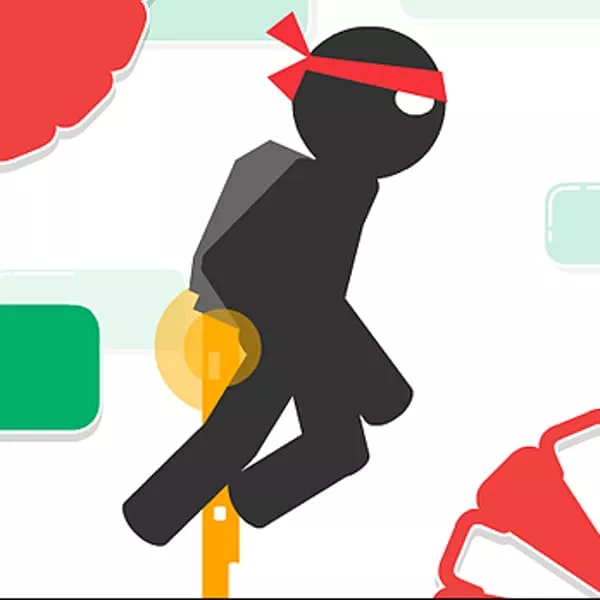
Stick Jet Challenge is a thrilling, precision-focused arcade flying game developed by QkyGames. Controlling a daring stickman test pilot equipped with an experimental rocket jetpack, players must fly through high-security scientific facilities packed with lethal security traps.
Master the physics of thrust and gravity: press the button to fire rocket thrusters and ascend, and release to descend gracefully. Thread through narrow corridors lined with electric forcefields, dodge spinning laser beams, and weave through homing missile traps.
Featuring 60 progressively demanding challenge stages, collectible golden stars, and tight responsive controls, Stick Jet Challenge is an exhilarating test of aerial finesse and composure under pressure.
How to play Stick Jet Challenge
- Press and hold Left Mouse Button, Spacebar, or Up Arrow to fire jetpack thrusters and fly upward.
- Release the button to cut engine thrust and allow gravity to pull your stickman downward.
- Navigate narrow tunnels, timing your flight to slip past rotating laser beams and moving spikes.
- Land smoothly on the checkered green landing platform to complete the level.
Tips for winning and high scores
- Feather your thrust: use gentle, rhythmic pulses of rocket thrust rather than long continuous bursts to hover smoothly.
- Collect all three stars in each stage to unlock bonus stages and specialized stickman flight suits.
- Watch laser rotation speeds: wait for spinning laser beams to sweep past before committing to narrow passages.
- Approach the landing pad slowly: slamming into the platform at high speed can cause your pilot to crash!
Chromebook Performance & Browser Architecture
Stick Jet Challenge is built for modern web browsers using hardware-accelerated HTML5 Canvas and WebGL graphics. By streaming compressed assets and running inside an optimized browser sandbox, it keeps memory usage low and frame rates steady at 60 FPS on managed school Chromebooks, Windows laptops, and classroom Wi-Fi networks.
Frequently asked questions
Is Stick Jet Challenge free to play?
Yes, Stick Jet Challenge is 100% free to play directly in your web browser on Blooket1 with no downloads, plugins, or sign-ups required.
Does Stick Jet Challenge run well on school Chromebooks?
Yes! It uses hardware-accelerated HTML5 and WebGL rendering designed to run smoothly at 60 FPS on managed school Chromebooks, Windows laptops, MacBooks, and tablets.
Is my game progress saved automatically?
Yes, your high scores, unlocked levels, and settings are saved automatically in your browser's local storage so you can pick up right where you left off.
How do I play if my school blocks this page?
Click the Stealth mode button in the top navigation bar to disguise your browser tab as Google Docs, Google Drive, or Classroom, launch Stick Jet Challenge inside an about:blank tab, or switch to one of our official alternate links like blooket1.pages.dev or educational.blooket1.com. You can also check our Guides & Tier Lists for more tips.