
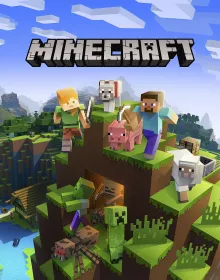
Minecraft Classic: Authentic Creative Sandbox
Minecraft Classic is the authentic original web release of Mojang's legendary creative sandbox game, celebrating the historic 2009 edition that started a global cultural phenomenon. Step into an infinite voxel landscape where imagination is your only limit.
Enjoy classic Creative mode freedom with 32 iconic block types—including cobblestone, dirt, oak planks, colored wools, gold, and glass. Build sprawling castles, intricate statues, towering lighthouses, or subterranean labyrinths.
Featuring authentic nostalgic textures, retro block physics, and instant web multiplayer, you can generate custom world sizes and share your world link with friends to build monumental creations together directly in your browser.
How to play Minecraft Classic
- Move around the 3D voxel world with WASD and use Spacebar to jump over blocks.
- Left-click to break blocks and Right-click to place the selected block from your toolbar.
- Press B to open the block selection palette and choose from 32 authentic classic building materials.
- Press T to chat with friends, R to respawn at the world spawn point, and Enter to set a custom spawn location.
Tips for winning and high scores
- Use classic block physics to your advantage: sand and gravel fall with gravity, while all other materials stay suspended.
- Press F to adjust render distance if you want to inspect huge mega-builds or improve framerates on school Chromebooks.
- Build tall landmark towers near your primary base so you never lose your orientation when exploring.
- Invite friends by clicking the "Host game" button and copying the generated URL into your chat or group.
Frequently asked questions
Is Minecraft Classic free to play?
Yes, it is completely free to play directly in your web browser on Blooket1 with no downloads or installs required.
Can I play Minecraft Classic on a school Chromebook or mobile?
Yes, it runs smoothly in any modern browser including Chrome on Chromebooks, laptops, tablets, and smartphones.
Does my progress save automatically?
Your high scores, achievements, and unlocked upgrades are stored locally in your browser so you can continue where you left off.