





Death Run 3D: Ultra-Fast Neon Tunnel Runner
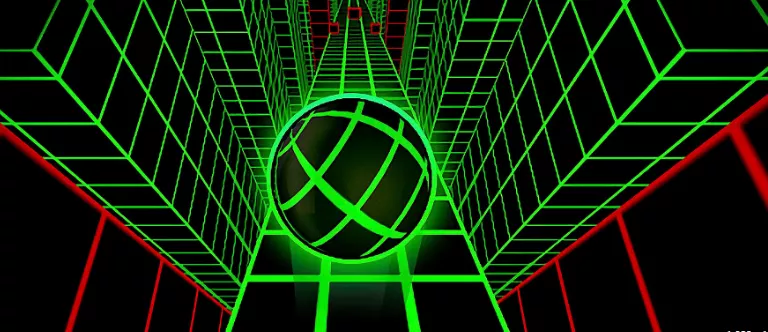
Death Run 3D is a mesmerizing first-person arcade runner built for players who crave raw speed and lightning-fast reflexes. Hurtling through a futuristic glowing neon tube at hypersonic speeds, you must react in milliseconds to oncoming geometric blockades and spinning barriers.
Featuring four distinct game modes—Survival, Fear, Endurance, and Overcoming—each course features complex procedural obstacle arrangements that push your spatial perception and reaction times to their absolute limits.
Accompanied by an intoxicating synth-wave soundtrack, Death Run 3D delivers pure, unadulterated arcade adrenaline where single-pixel precision separates a record-breaking run from a catastrophic crash.
How to play Death Run 3d
- Select your challenge track and brace for instant high-speed acceleration down the glowing tunnel.
- Use Arrow Keys or WASD to bank left, right, up, and down around the cylindrical tube interior.
- Align your flight path with openings in oncoming barrier walls and dodge rotating hazard blades.
- Survive as long as possible without striking any obstacle surfaces to establish unbeatable high scores.
Tips for winning and high scores
- Fix your visual gaze at the far vanishing point of the tunnel rather than directly in front of your ship to anticipate shifts early.
- Make minimal, precise steering inputs; over-steering is the most frequent cause of slamming into the opposite wall.
- Listen to the music: obstacle pulse frequencies and tunnel twists frequently synchronize with the electronic beat.
- Return to the center of the tube between maneuvers so you can snap quickly in any direction when hazards appear.
3D WebGL Rendering & Chromebook Performance
Death Run 3d relies on hardware-accelerated HTML5 and WebGL 3D graphics to keep high-speed obstacles and camera movement locked at a smooth 60 frames per second. Fast visual reaction time and spatial judgment matter at higher speeds, so the browser build is optimized to minimize input lag and RAM consumption on school Chromebooks, laptops, and classroom Wi-Fi connections.
Frequently asked questions
Is Death Run 3d free to play?
Yes, Death Run 3d is 100% free to play directly in your web browser on Blooket1 with no downloads, plugins, or sign-ups required.
Does Death Run 3d run well on school Chromebooks?
Yes! It uses hardware-accelerated HTML5 and WebGL rendering designed to run smoothly at 60 FPS on managed school Chromebooks, Windows laptops, MacBooks, and tablets.
Is my game progress saved automatically?
Yes, your high scores, unlocked levels, and settings are saved automatically in your browser's local storage so you can pick up right where you left off.
How do I play if my school blocks this page?
Click the Stealth mode button in the top navigation bar to disguise your browser tab as Google Docs, Google Drive, or Classroom, launch Death Run 3d inside an about:blank tab, or switch to one of our official alternate links like blooket1.pages.dev or educational.blooket1.com. You can also check our Guides & Tier Lists for more tips.