
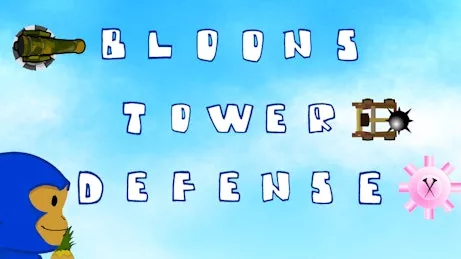





Bloons Tower Defense 3: Classic Balloon-Popping Strategy
Bloons Tower Defense 3 is the landmark 2008 tower defense game by Ninja Kiwi that transformed the Bloons franchise into a strategy gaming powerhouse. Waves of colorful bloons are invading, and only your army of specialized monkeys can stop them!
Position an array of defensive monkey towers along winding paths: deploy rapid-fire Dart Monkeys, multi-directional Tack Shooters, high-explosive Bomb Cannons, Ice Towers that freeze bloons in place, and the mighty, lasers-firing Super Monkey.
Upgrade your towers with specialized piercing darts, longer range, and destructive camo detection to counter tough bloon types—from armored Lead Bloons and multi-layered Ceramics to the dreaded massive MOAB blimp.
How to play Bloons Tower Defense 3
- Click on monkey towers in the right-side build menu and place them along the pathway.
- Click on placed towers to purchase range, attack speed, and piercing upgrades using popped bloon cash.
- Start waves and watch your defensive line pop incoming waves of increasingly tough bloons.
- Place road spikes or pineapples on the track for emergency last-second defense if bloons leak.
Tips for winning and high scores
- Use Bomb Towers or Spike-o-Pults to pop metallic Lead Bloons, which are completely immune to standard darts.
- Place Tack Shooters right inside tight hairpin bends so all 8 projectiles hit bloons as they curve around.
- Save up for a Super Monkey: once upgraded with plasma beams, it can solo entire late-game waves with ease.
- Don't hoard cash: reinvest earnings between waves into upgrades immediately to keep pace with bloon speed.
Chromebook Performance & Browser Architecture
Bloons Tower Defence 3 is built for modern web browsers using hardware-accelerated HTML5 Canvas and WebGL graphics. By streaming compressed assets and running inside an optimized browser sandbox, it keeps memory usage low and frame rates steady at 60 FPS on managed school Chromebooks, Windows laptops, and classroom Wi-Fi networks.
Frequently asked questions
Is Bloons Tower Defence 3 free to play?
Yes, Bloons Tower Defence 3 is 100% free to play directly in your web browser on Blooket1 with no downloads, plugins, or sign-ups required.
Does Bloons Tower Defence 3 run well on school Chromebooks?
Yes! It uses hardware-accelerated HTML5 and WebGL rendering designed to run smoothly at 60 FPS on managed school Chromebooks, Windows laptops, MacBooks, and tablets.
Is my game progress saved automatically?
Yes, your high scores, unlocked levels, and settings are saved automatically in your browser's local storage so you can pick up right where you left off.
How do I play if my school blocks this page?
Click the Stealth mode button in the top navigation bar to disguise your browser tab as Google Docs, Google Drive, or Classroom, launch Bloons Td 3 inside an about:blank tab, or switch to one of our official alternate links like blooket1.pages.dev or educational.blooket1.com. You can also check our Guides & Tier Lists for more tips.