



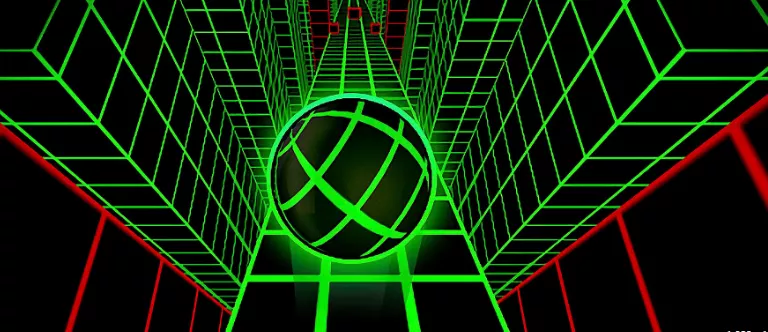

The Dot Game: Minimalist Reflex & Precision Timing
The Dot Game is a sleek, minimalist reflex and timing puzzle game that strips arcade gaming down to its purest, most elegant essentials. Controlling a single nimble dot orbiting concentric geometric circles, your goal is to leap between rings without colliding with obstacles.
Timing is everything: rings rotate at varying speeds and directions, punctuated by moving spikes, laser barriers, and color-coded hazard zones. Tap to leap from orbit to orbit, threading the needle through razor-thin openings in revolving barriers.
Featuring crisp geometric vector graphics, satisfying tactile audio feedback, and hundreds of progressively challenging stages, The Dot Game delivers addictive "just-one-more-try" gameplay that sharpens your hand-eye coordination.
How to play The Dot Game
- Click the mouse, tap the screen, or press Spacebar to launch your dot outward to the next concentric ring.
- Time your leap so your dot lands safely on the open, unblocked arc of the revolving circle.
- Reach the glowing center core of the geometric maze to complete the level.
- Advance through increasingly complex revolving orbital puzzles with multiple rotating rings.
Tips for winning and high scores
- Observe the rotation rhythm: each ring rotates at a constant speed, so find the repeating timing pattern before jumping.
- Don't hesitate too long: some rings contain hazard blocks that slowly chase your dot around the orbit.
- Chain rapid jumps when multiple concentric gaps line up momentarily for high-scoring streak bonuses.
- Take a deep breath and stay patient; rushing jumps into narrow gaps is the primary cause of collisions.
Technical Overview & Chromebook Performance
The Dot Game rewards spatial reasoning, pattern recognition, and forward planning on every move. Built with lightweight HTML5 Canvas rendering and clean JavaScript state management, it launches in seconds over classroom Wi-Fi and runs effortlessly on managed school Chromebooks and laptops without taxing CPU or RAM resources.
Frequently asked questions
Is The Dot Game free to play?
Yes, The Dot Game is 100% free to play directly in your web browser on Blooket1 with no downloads, plugins, or sign-ups required.
Does The Dot Game run well on school Chromebooks?
Yes! It uses hardware-accelerated HTML5 and WebGL rendering designed to run smoothly at 60 FPS on managed school Chromebooks, Windows laptops, MacBooks, and tablets.
Is my game progress saved automatically?
Yes, your high scores, unlocked levels, and settings are saved automatically in your browser's local storage so you can pick up right where you left off.
How do I play if my school blocks this page?
Click the Stealth mode button in the top navigation bar to disguise your browser tab as Google Docs, Google Drive, or Classroom, launch The Dot Game inside an about:blank tab, or switch to one of our official alternate links like blooket1.pages.dev or educational.blooket1.com. You can also check our Guides & Tier Lists for more tips.