



Ragdoll Archers: Physics-Driven Archery Duels
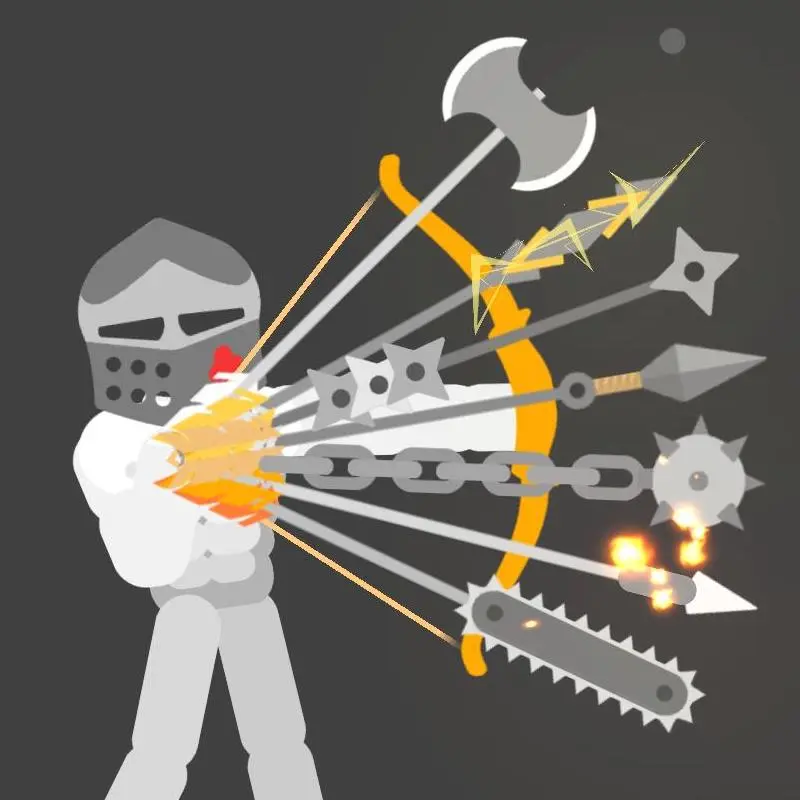
Ragdoll Archers is an exhilarating physics-based archery combat game developed by Ericetto. Stepping into the shoes of a heroic stickman archer, players must defend against endless waves of enemy archers, swordsmen, spearmen, and towering bosses.
Aiming relies on satisfying ragdoll physics: pull back your bowstring to adjust tension, angle your trajectory to compensate for gravity, and release to send arrows whistling through the air. Score instant-kill headshots, sever enemy limbs, and watch ragdoll enemies tumble from their perches.
Collect apples and gems dropped by defeated foes to upgrade your archer's maximum health, stamina, draw speed, and unlock specialized arrow types—including triple-shot volleys, explosive warheads, freezing frost arrows, and electrified bolts.
How to play Ragdoll Archers
- Click and drag your mouse (or touch screen) backward from your archer to aim and draw the bowstring.
- Release the mouse button to fire your arrow along the trajectory arc.
- Aim for the head or vital points to deliver lethal critical hits before enemies can return fire.
- Spend earned apples and gems between rounds to upgrade stats, armor, and specialized ammunition.
Tips for winning and high scores
- Headshots are king: a single arrow to the head eliminates most basic enemies instantly, saving precious stamina.
- Lead moving targets by aiming slightly in front of walking swordsmen and airborne enemies.
- Shoot incoming enemy arrows out of mid-air to protect yourself from lethal counter-attacks.
- Upgrade stamina and health early so you can maintain prolonged aim and survive stray body hits.
Physics Engine & Chromebook Performance
Ragdoll Archers pairs unpredictable 2D ragdoll and projectile physics with instant keyboard response, making angle calculation and timing the key to winning every match. Compiled for HTML5 Canvas and WebGL, it runs at a locked 60 FPS on managed school Chromebooks and laptops—even during chaotic two-player split-keyboard matches.
Frequently asked questions
Is Ragdoll Archers free to play?
Yes, Ragdoll Archers is 100% free to play directly in your web browser on Blooket1 with no downloads, plugins, or sign-ups required.
Does Ragdoll Archers run well on school Chromebooks?
Yes! It uses hardware-accelerated HTML5 and WebGL rendering designed to run smoothly at 60 FPS on managed school Chromebooks, Windows laptops, MacBooks, and tablets.
Is my game progress saved automatically?
Yes, your high scores, unlocked levels, and settings are saved automatically in your browser's local storage so you can pick up right where you left off.
How do I play if my school blocks this page?
Click the Stealth mode button in the top navigation bar to disguise your browser tab as Google Docs, Google Drive, or Classroom, launch Ragdoll Archers inside an about:blank tab, or switch to one of our official alternate links like blooket1.pages.dev or educational.blooket1.com. You can also check our Guides & Tier Lists for more tips.