






Pong: The Founding Father of Video Gaming
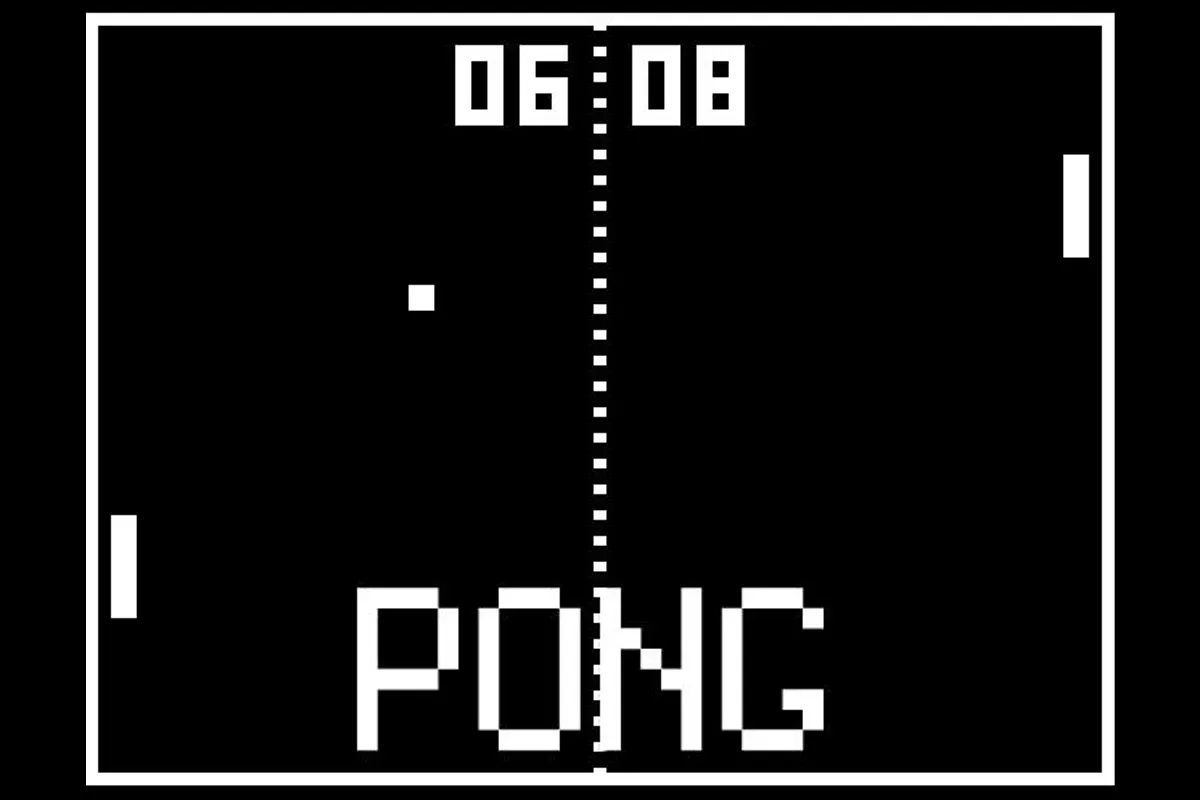
Pong is the historic 1972 sports arcade game created by Allan Alcorn at Atari that launched the commercial video game industry. Recreating table tennis on a minimalist monochrome cathode-ray screen, Pong is the quintessential gaming classic.
Two vertical paddles guard their respective sides of the screen while a square ball bounces back and forth across the dashed center net line. As rallies continue, the ball accelerates with every paddle deflection, testing players' reaction speed and hand-eye coordination.
Play against a responsive computer opponent or grab a friend for retro two-player head-to-head competition where simple controls deliver timeless, tense competitive excitement.
How to play Pong
- Player 1: Use W and S or mouse movement to slide your left paddle up and down.
- Player 2: Use Up and Down Arrow keys to slide the right paddle up and down.
- Deflect the bouncing ball back across the net to prevent it from passing your baseline.
- Score a point every time your opponent misses the ball; the first player to 11 points wins the match.
Tips for winning and high scores
- Angle your returns: hitting the ball with the outer edges of your paddle returns it at sharp, difficult angles.
- Anticipate the bounce: observe the angle of incidence as the ball hits the top and bottom walls to position early.
- Stay near the vertical center of the screen between volleys so you can react quickly to high or low shots.
- In high-speed rallies, make small, controlled movements rather than wildly chasing the ball.
Physics Engine & Chromebook Performance
Pong pairs unpredictable 2D ragdoll and projectile physics with instant keyboard response, making angle calculation and timing the key to winning every match. Compiled for HTML5 Canvas and WebGL, it runs at a locked 60 FPS on managed school Chromebooks and laptops—even during chaotic two-player split-keyboard matches.
Frequently asked questions
Is Pong free to play?
Yes, Pong is 100% free to play directly in your web browser on Blooket1 with no downloads, plugins, or sign-ups required.
Does Pong run well on school Chromebooks?
Yes! It uses hardware-accelerated HTML5 and WebGL rendering designed to run smoothly at 60 FPS on managed school Chromebooks, Windows laptops, MacBooks, and tablets.
Is my game progress saved automatically?
Yes, your high scores, unlocked levels, and settings are saved automatically in your browser's local storage so you can pick up right where you left off.
How do I play if my school blocks this page?
Click the Stealth mode button in the top navigation bar to disguise your browser tab as Google Docs, Google Drive, or Classroom, launch Pong inside an about:blank tab, or switch to one of our official alternate links like blooket1.pages.dev or educational.blooket1.com. You can also check our Guides & Tier Lists for more tips.